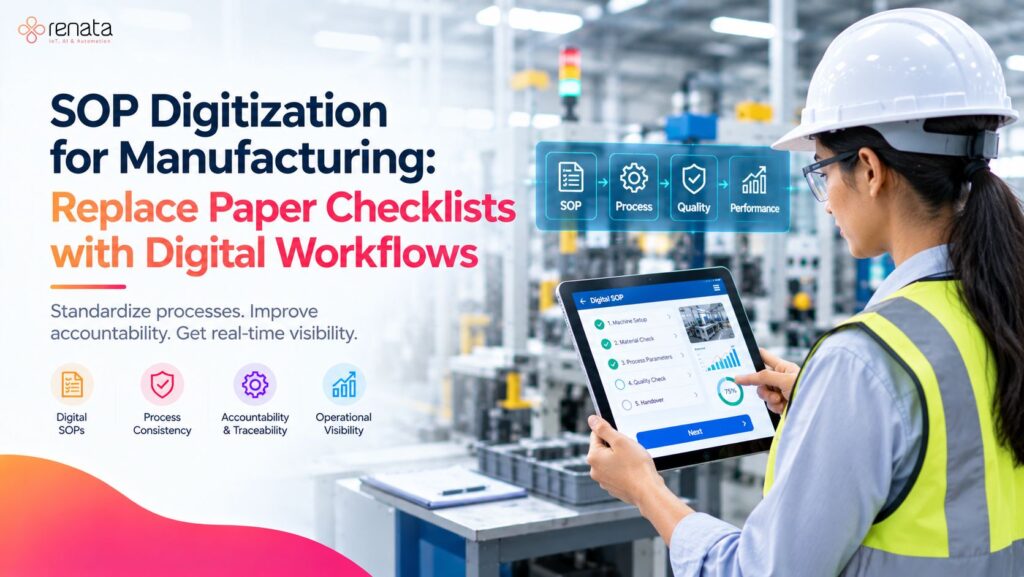
Manufacturing operations depend on consistent processes. From machine startup and equipment inspections to quality checks and preventive maintenance, employees must follow established procedures to keep production running safely and efficiently.
However, many factories still rely on printed standard operating procedures (SOPs), paper checklists, manual signatures and spreadsheets to manage these activities. Over time, paper-based systems can make it difficult to maintain updated instructions, verify task completion and identify recurring process issues.
SOP digitization for manufacturing replaces or supplements these manual methods with digital procedures, checklists and workflows that employees can access and complete electronically.
Instead of searching for printed instructions or submitting paper records at the end of a shift, operators can follow structured digital workflows, record observations and document task completion in a more consistent format.
In this guide, we explain how digital SOPs work, where manufacturers can use them, how to implement them and what to consider when selecting a digital solution.
What Is SOP Digitization in Manufacturing?
SOP digitization is the process of converting standard operating procedures and related checklists into digital formats that can be accessed, completed, updated and managed electronically.
A traditional SOP might describe the steps an operator must follow before starting a machine. A digital version can present those steps on a computer, tablet or other supported device, with fields for recording inspection results, confirming completion and reporting abnormalities.
Depending on the solution, digital workflows may also support task assignments, timestamps, notifications, approval steps, escalation rules and centralized records.
For example, a paper-based machine inspection checklist may ask an operator to verify lubrication, check operating conditions and sign the completed form. A digital checklist can guide the operator through the same steps while recording responses electronically.
The objective is not simply to turn a paper document into a PDF. It is to make procedures easier to follow, records easier to retrieve and execution easier to monitor.
Why Do Manufacturers Need Digital SOPs?
Paper-based procedures can work for simple operations, but managing them across multiple machines, production lines and shifts can become challenging.
Common problems include:
- Outdated instructions: Employees may use old printed versions after a procedure changes.
- Incomplete records: Required fields, signatures or inspection results may be missing.
- Limited visibility: Supervisors may not know whether a checklist has been completed until the paper record is submitted.
- Manual reporting: Teams spend time collecting, reviewing and entering information from paper forms.
- Difficult record retrieval: Finding a specific inspection or maintenance record can require searching through folders and registers.
- Inconsistent execution: Different operators may interpret instructions differently or skip steps.
- Delayed issue escalation: Abnormal conditions may not reach the responsible person promptly.
Digitizing SOPs can help address these challenges by standardizing how instructions are presented and how completion is documented.
The actual improvement depends on workflow design, employee adoption, system configuration and the reliability of the underlying records.
Paper-Based SOPs vs. Digital SOPs
|
Area |
Paper-based SOPs |
Digital SOPs |
|
Access |
Printed documents or physical folders |
Available through supported digital devices |
|
Updates |
Printed copies may need manual replacement |
Updated versions can be distributed centrally, depending on the system |
|
Task completion |
Handwritten entries and signatures |
Electronic responses and completion records |
|
Record retrieval |
Manual searching and filing |
Searchable records, depending on the platform |
|
Issue reporting |
Notes, calls or separate forms |
Structured issue reporting and notifications, where supported |
|
Progress visibility |
Often requires manual follow-up |
Can provide completion status and dashboards, where available |
|
Reporting |
Manual consolidation may be necessary |
Digital records can support automated reporting and analysis |
Digitalization does not automatically make a process compliant or error-free. Manufacturers must still establish suitable procedures, access controls, record-retention practices and verification requirements.
How Does SOP Digitization Work?
A digital SOP workflow typically follows a structured sequence, from selecting the procedure to reviewing its execution.
1. Convert the Existing Procedure into a Digital Format
Start with an existing SOP, inspection form or checklist. Review the content before converting it.
Remove unnecessary duplication, clarify ambiguous instructions and confirm that the procedure reflects the approved operating method.
Break complex instructions into manageable steps. Where appropriate, include reference images, diagrams, safety reminders and acceptance criteria.
2. Organize Tasks into a Logical Workflow
Arrange the steps in the order employees should perform them.
For example, a machine startup checklist could include:
- Confirm the work area is clear.
- Check the machine’s visible condition.
- Verify the required pre-start checks.
- Confirm that applicable safety requirements have been met.
- Record the relevant operating parameters.
- Submit the checklist or escalate an abnormal finding.
The actual steps must be based on the manufacturer’s instructions, approved site procedures and applicable safety requirements.
3. Assign Responsibilities
Define who must perform, review or approve each activity.
A digital workflow may assign tasks by role, machine, production line, department or shift. Clear responsibility reduces uncertainty about who owns a task and who should respond when something goes wrong.
4. Capture Responses and Evidence
Configure the required response fields. These might include checkboxes, numerical readings, dropdown selections, comments, timestamps or photographs, depending on the process and platform.
For critical checks, define what constitutes an acceptable result and what action is required when a result falls outside the approved range.
5. Track Completion and Escalate Issues
Where supported, digital workflows can display task status, identify overdue activities and notify the responsible personnel about reported abnormalities.
For example, if an operator records an abnormal machine condition, the workflow could direct the issue to a supervisor or maintenance team for review.
Escalation rules should be clearly defined. A digital notification alone does not replace the immediate actions required by an approved safety or emergency procedure.
6. Review Records and Improve the Process
Supervisors can review completed checklists and recurring exceptions to identify gaps in execution.
Over time, these records may help teams determine whether procedures need clarification, training needs to be improved or recurring equipment issues require further investigation.
Where Can Manufacturers Use Digital SOPs?
SOP digitization is useful wherever employees must perform repeatable tasks and document the results.
1. Machine Startup and Shutdown
Digital instructions can guide operators through approved startup and shutdown procedures.
Structured checklists help document whether required steps have been completed before or after machine operation.
2. Quality Inspection
Quality teams can use digital checklists to record inspection results, verify required checks and document defects.
Structured records make it easier to review inspection history and identify recurring quality issues, provided the data is consistently captured.
3. Preventive Maintenance
Maintenance teams can digitize routine inspection schedules, lubrication checks, cleaning procedures and other approved maintenance tasks.
Linking these workflows with a broader predictive maintenance approach can help organizations connect routine maintenance activities with equipment-condition information where the relevant systems support that integration.
4. Safety and Compliance Checks
Digital checklists can help document routine workplace inspections, equipment checks and other established procedures.
However, the digital workflow must reflect applicable legal requirements and the organization’s approved safety processes. Digitization by itself does not establish regulatory compliance.
5. Production Line Changeovers
Changeovers may require a series of coordinated activities, including tool preparation, material verification, machine setup and first-piece inspection.
Digital workflows can organize these steps, assign responsibilities and create a record of completion.
6. Cleaning and Housekeeping
Manufacturers can use digital checklists to document scheduled cleaning, work-area inspections and housekeeping activities.
This can be particularly useful where tasks must be completed at defined intervals or verified before the next operation begins.
7. Shift Handover
A structured digital handover can record pending tasks, machine abnormalities, production issues and maintenance requirements.
This helps the incoming shift review important information without relying entirely on handwritten notes or verbal updates.
Key Benefits of SOP Digitization for Manufacturing
More Consistent Process Execution
Digital instructions present approved procedures in a structured format. This can reduce ambiguity and help employees follow the same process across shifts and production areas.
Consistency still depends on the quality of the procedure, employee training and proper workflow configuration.
Better Accountability
Task assignments and completion records can make responsibilities clearer.
Where supported, timestamps and user-specific records also help supervisors understand when activities were completed and which tasks require follow-up.
Faster Access to Instructions
Employees can access relevant procedures from supported devices instead of searching through physical folders.
Centralized document management can also simplify the distribution of approved updates.
Improved Operational Visibility
Digital records can provide a clearer view of checklist completion, overdue activities and reported exceptions.
This helps managers focus on unresolved tasks rather than relying solely on periodic manual reports.
Easier Record Retrieval
Searchable digital records can reduce the effort required to locate previous inspections, completed maintenance checklists and other operational documentation.
Access permissions and retention policies should be designed to protect records and meet business requirements.
More Structured Problem Identification
When teams consistently record abnormalities using standardized fields, they can review patterns across equipment, production lines or shifts.
These insights may support corrective actions, process improvement and more informed maintenance planning.
Reduced Manual Administration
Digital capture can reduce the need to transfer handwritten information into spreadsheets or compile paper forms manually.
The amount of administrative work eliminated will depend on the processes being digitized and the level of automation available.
How to Implement SOP Digitization in a Factory
A successful rollout should begin with a specific operational problem rather than attempting to digitize every document at once.
Step 1: Identify High-Value Processes
List the procedures that are frequently performed, difficult to track or associated with recurring errors and delays.
Good starting points include machine inspections, shift handovers, preventive maintenance checklists and quality checks.
Prioritize processes where better documentation and visibility would provide a clear operational benefit.
Step 2: Review and Standardize Existing SOPs
Before digitization, confirm that each procedure is accurate, approved and easy to understand.
Resolve conflicting instructions and remove obsolete versions from active use according to your document-control process.
Digitizing a confusing procedure can simply make the confusion available on a screen.
Step 3: Define the Required Data
Determine what employees need to record at each step.
Possible fields include:
- Machine or equipment ID
- Production line or work area
- Operator or responsible employee
- Date and time
- Inspection result
- Measured value, where applicable
- Abnormality description
- Corrective action or escalation status
- Review or approval status, where required
Capture only the information needed for the workflow, operational analysis or applicable recordkeeping requirements.
Step 4: Select a Suitable Digital Solution
Evaluate whether the platform can support the actual operating environment.
Consider:
- Digital checklist and SOP creation
- Version control and approved document updates
- Role-based access and task assignment
- Mobile or tablet access
- Offline operation, if required
- Notifications and escalation rules
- Searchable records and reporting
- Integration with existing maintenance, production or quality systems
- Data security, backup and retention
- Ease of use for frontline employees
Avoid selecting software based only on the number of features. The solution should fit the factory’s processes and employees’ day-to-day needs.
Step 5: Run a Pilot
Choose one production line, machine group or department.
Convert a small number of high-priority SOPs, train the users and observe how the workflows perform during normal operations.
Collect feedback on navigation, unclear instructions, unnecessary data fields and missed steps.
Step 6: Measure the Results
Establish a baseline before rollout. Then compare performance after the pilot has been running long enough to produce meaningful data.
Useful metrics include checklist completion, overdue tasks, missing records, issue response time and time spent preparing reports.
Do not assume that digitization will automatically improve every metric. Use the pilot to identify what actually changes.
Step 7: Expand Gradually
Once the pilot is working reliably, extend the approach to additional processes and production areas.
Assign clear ownership for SOP updates, employee training, workflow changes and periodic reviews.
A sustainable digital SOP program needs ongoing governance, not just an initial software deployment.
How to Measure the Success of Digital SOPs
Manufacturers should evaluate both adoption and operational outcomes.
|
KPI |
What It Measures |
Why It Matters |
|
Checklist completion rate |
Percentage of required checklists completed |
Shows whether employees are using the workflow |
|
On-time completion rate |
Tasks completed by their due time |
Helps identify delays in routine activities |
|
Missing-field rate |
Records with required information missing |
Indicates the completeness of captured data |
|
Issue response time |
Time between reporting and response |
Helps evaluate escalation effectiveness |
|
Procedure deviation rate |
Recorded deviations from approved steps |
Can reveal training or process-control gaps |
|
Record retrieval time |
Time required to locate a specific record |
Helps assess documentation accessibility |
|
Administrative time |
Time spent collecting and consolidating records |
Indicates whether manual work is decreasing |
Define each metric consistently before comparing results. For example, an increase in reported deviations may reflect better issue reporting rather than a deterioration in performance.
The goal is to understand the underlying process, not simply to make the dashboard numbers look better.
Common Challenges in SOP Digitization
Resistance to Change
Employees may be comfortable with existing paper forms or may see digital entry as additional work.
How to address it: Involve frontline employees in workflow design, provide practical training and remove unnecessary steps.
Poorly Written Procedures
Digitization cannot compensate for incorrect or confusing instructions.
How to address it: Review and approve the content before publishing it digitally.
Too Many Data Fields
Long forms can slow down employees and reduce adoption.
How to address it: Capture essential information and use conditional fields where the platform supports them.
Unclear Ownership
Without clear responsibility, procedures can become outdated and reported issues may remain unresolved.
How to address it: Assign owners for SOP approval, review, training, task execution and escalation.
Integration Limitations
A digital checklist platform may not automatically connect with existing production, quality or maintenance systems.
How to address it: Confirm integration requirements and available interfaces before implementation. Do not assume that every platform supports every integration.
Connectivity and Device Constraints
Some factory areas may have unreliable connectivity or limited access to shared devices.
How to address it: Evaluate device availability, usability and offline requirements during the pilot.
What to Look for in Manufacturing SOP Digitization Software
When evaluating a solution, focus on how well it supports the procedures your factory needs to manage.
A suitable platform should make it practical to create and maintain digital workflows, guide employees through tasks, capture the required records and help supervisors review completion.
Depending on your requirements, you may also need:
- Centralized procedure management
- Version history and approval controls
- Role-based permissions
- Task scheduling and reminders
- Exception reporting and escalation
- Searchable activity records
- Reporting dashboards
- Integration with other industrial systems
- Reliable performance on the factory floor
If your objective extends beyond digital checklists to machine data, production monitoring or connected industrial operations, assess whether the solution can work alongside your broader digital manufacturing environment.
Explore Renata IoT’s digital SOPs and checklists solution to understand how it may fit your manufacturing workflow.
Digital SOPs and Industry 4.0
SOP digitization can be one practical step toward a more connected manufacturing operation.
A digital checklist captures what an employee records during a task. Machine monitoring can provide information about equipment operation, while industrial IoT systems can collect data from connected devices and sensors.
When these capabilities are appropriately integrated, manufacturers may be able to connect operational procedures with equipment status, production information and maintenance workflows.
For example, an inspection checklist may document an abnormal machine condition, while a connected monitoring system provides additional operating data for investigation.
These systems serve different purposes: digital SOPs structure work and documentation, while monitoring systems provide operational data. Their integration depends on the capabilities and configuration of the selected solutions.
Frequently Asked Questions
1. What is SOP digitization in manufacturing?
SOP digitization is the conversion of standard operating procedures, work instructions and checklists into digital workflows. It helps employees access approved instructions, record task completion and manage operational documentation electronically.
2. How do digital SOPs differ from PDFs?
A PDF is primarily a digital document. An interactive digital SOP can guide employees through individual steps and, depending on the platform, capture responses, assign tasks, record completion and trigger notifications.
3. Can digital SOPs improve manufacturing productivity?
They can help reduce manual documentation, improve access to instructions and make task status easier to review. Productivity improvements depend on the process being digitized, employee adoption and the effectiveness of the implementation.
4. Can digital SOPs be used for machine maintenance?
Yes. Manufacturers can digitize approved inspection routines, lubrication checks, preventive maintenance tasks and equipment checklists. More advanced integrations may connect these workflows with maintenance or machine-monitoring systems.
5. Are digital SOPs suitable for small and medium-sized manufacturers?
Yes. Smaller manufacturers can begin with a limited set of high-value workflows, such as daily machine inspections or shift handovers, and expand as their needs evolve.
6. How long does SOP digitization take?
The timeline depends on the number and complexity of procedures, the quality of existing documentation, approval requirements, software configuration, integrations and training. A focused pilot is often a practical way to assess the effort before a larger rollout.
7. Does SOP digitization guarantee regulatory compliance?
No. Digital records may support documentation and audit preparation, but compliance depends on applicable regulations, approved procedures, record controls and the organization’s actual operating practices.
Conclusion: Start with One Workflow and Build from There
SOP digitization for manufacturing is about more than replacing paper with screens. It is an opportunity to standardize instructions, document task execution and make operational information easier to access and review.
The most effective approach starts with a clear business problem, well-defined procedures and a small pilot. Manufacturers can then measure adoption, improve the workflows and expand the program based on evidence.
For organizations looking to move toward more structured digital operations, digital SOPs and checklists can provide a practical starting point.
Ready to explore digital SOPs for your manufacturing operations?
Visit Renata IoT’s Digital SOPs and Checklists page to learn more about the solution. You can also contact the Renata IoT team to discuss your operational requirements.
References and Further Reading
Use these authoritative resources to explore related concepts:
- OSHA — Recommended Practices for Safety and Health Programs: https://www.osha.gov/safety-management
- NIST — Smart Manufacturing: https://www.nist.gov/programs-projects/smart-manufacturing-systems
These resources provide broader context on workplace safety management and smart manufacturing. They do not endorse Renata IoT or establish that any particular software meets a specific compliance requirement.